| Edit | ALT-e |
| Properties | ALT-p |
| Test | ALT-t |
| Search | ALT-s |
| Versions | ALT-v |
Due to the above shortcut keys not working on most browsers a set of more modern shortcut keys have been provided. Pressing ? on any normal wiki page (not the edit page, etc.) will bring up a modal dialog showing the standard set of shortcut keys.
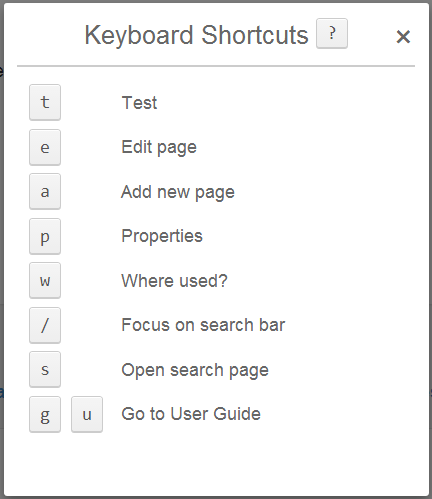
Keyboard Shortcuts ?
General
- t Test page or suite
- e Edit page
- v View page (after test)
- a Add new page
Go To
- g u User Guide
- g q Quick Reference Guide
- g f Full Reference Guide
- g c Recent Changes
Edit Mode
- CTRL+s Save page
- ESC Cancel edit
Tools
- p Properties
- w Where used?
- AK+v Versions
- AK+h Page History
- / Focus on search bar
- s Open search page